Point it at one folder
This is the one idea that makes the rest of Nami make sense. Read this page even if you skip the others.
The one idea
Every session runs inside one folder. The agent can read the files in that folder, write files into that folder, and nothing else. It cannot look at the rest of your computer.
So the folder you pick is the job you are handing over.
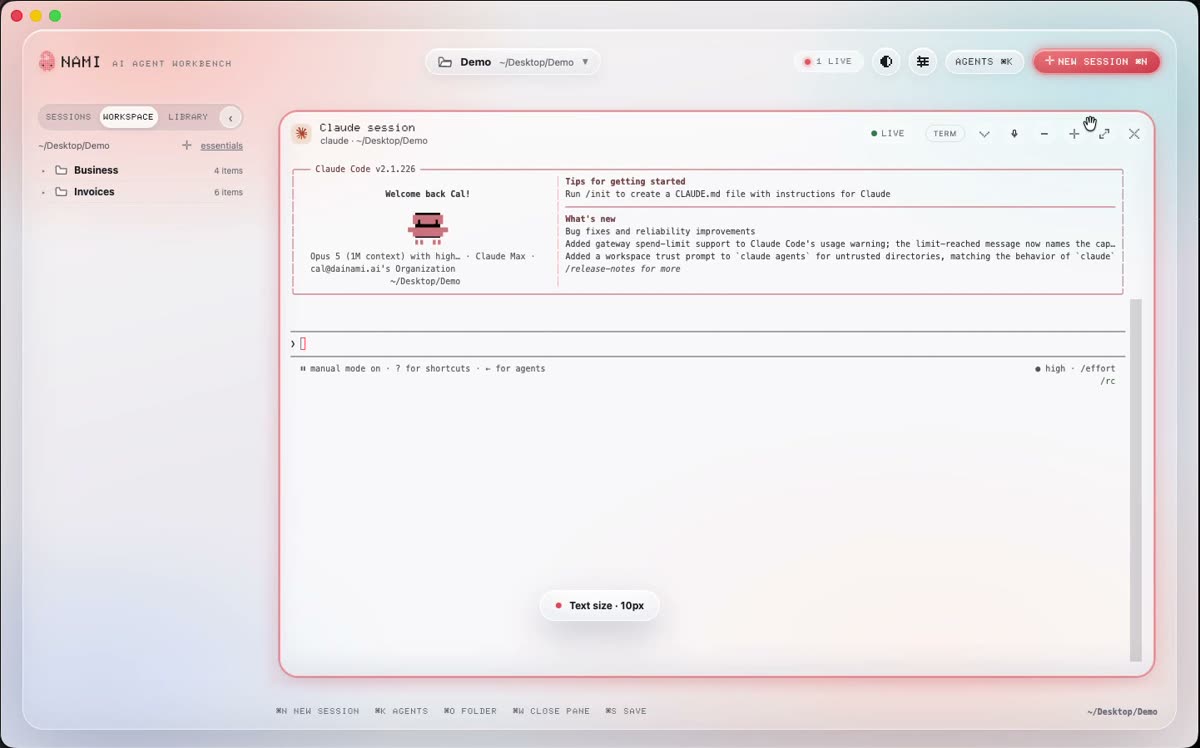
You can see it in the app itself: the folder is named in the top bar, and the rail beside it lists everything inside.
Pick your first one
Good first folders are small and real. This month’s invoices. One client. A folder of drafts. The place your notes live.
Press ⌘O (Ctrl+Shift+O on Windows), or click Open folder, and choose it. Nami remembers it, and every session you start from then on runs inside it.
Switching folders
The folder name sits in the top left of the window. Click it to switch, or to open a second one. Sessions stay with the folder they were started in, so switching never mixes two jobs together.
Something missing here? Tell us on GitHub.