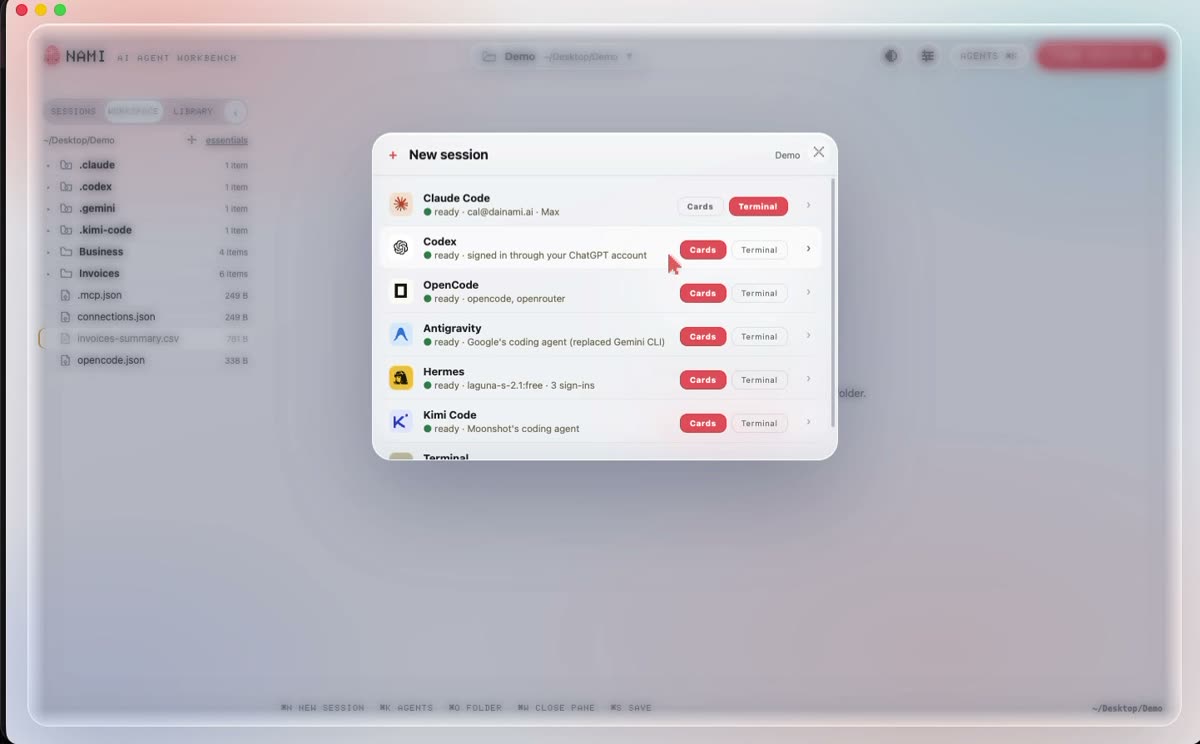
Nami does not have its own AI. It runs the agents you already pay for, which is why there is no Nami account and no second bill.
The short answer. Pay for Claude? Start with Claude Code. Pay for ChatGPT? Start with Codex. Pay for neither? Start with OpenCode, which is free and lets you bring any model.
All six
Agent
Signs in with
Good at
Claude Code
your Claude subscription
the all rounder. Long documents, planning, careful edits
Codex
your ChatGPT account
code, and anything with a lot of steps
Antigravity
your Google account
Google’s agent. It replaced Gemini CLI
OpenCode
any model you choose
open source. Free, or your own model at home
Hermes
its own sign in
Nous Research. It learns as it works
Kimi Code
your Moonshot account
very long documents
The launcher shows what is on your computer. Anything missing installs from the same list.
Not installed? Nami installs it
Pick an agent you do not have and Nami opens a setup pane, then runs that agent’s own official install command in a terminal in front of you. Nothing hidden, nothing bundled.